https://www.jetbrains.com/help/idea/tutorial-deployment-in-product.html
使用Win11的sftp命令
在 Windows 需要传输文件的目录下打开 cmd,然后执行:
1
2
3
4
5
6
7
8
9
10
11
12
13
14
|
PS X:\workspaces\local-demo> sftp -P 8989 root@192.168.0.7
root@192.168.0.7's password:
Connected to 192.168.0.7.
sftp> pwd
Remote working directory: /root
sftp> cd /data/test/local-demo
sftp> put doc.txt
Uploading doc.txt to /data/test/local-demo/doc.txt
doc.txt                   100%    5     0.0KB/s   00:00
sftp> get test.txt
Fetching /data/test/local-demo/test.txt to test.txt
test.txt                  100%    4     0.0KB/s   00:00
sftp>
|
使用idea的sftp部署
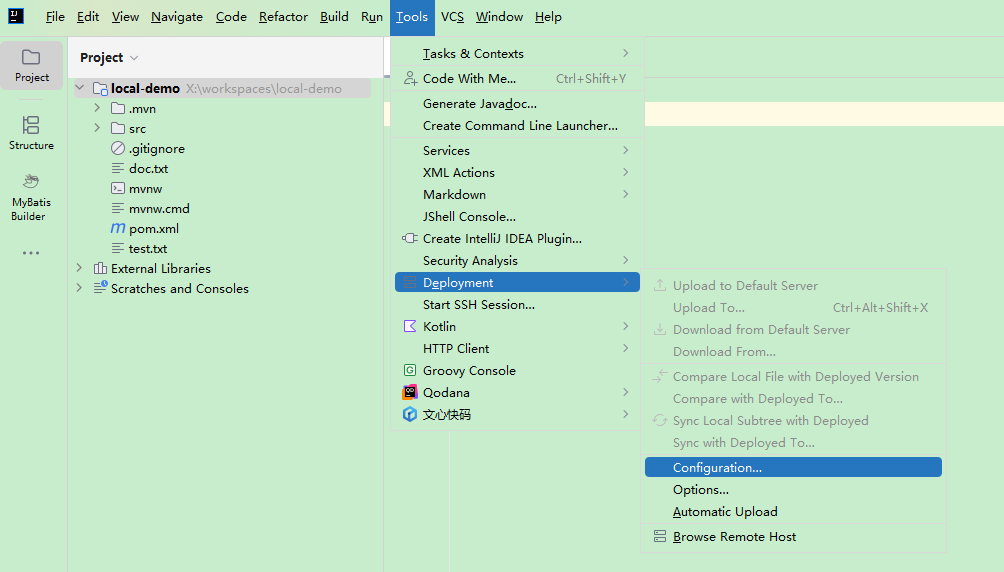
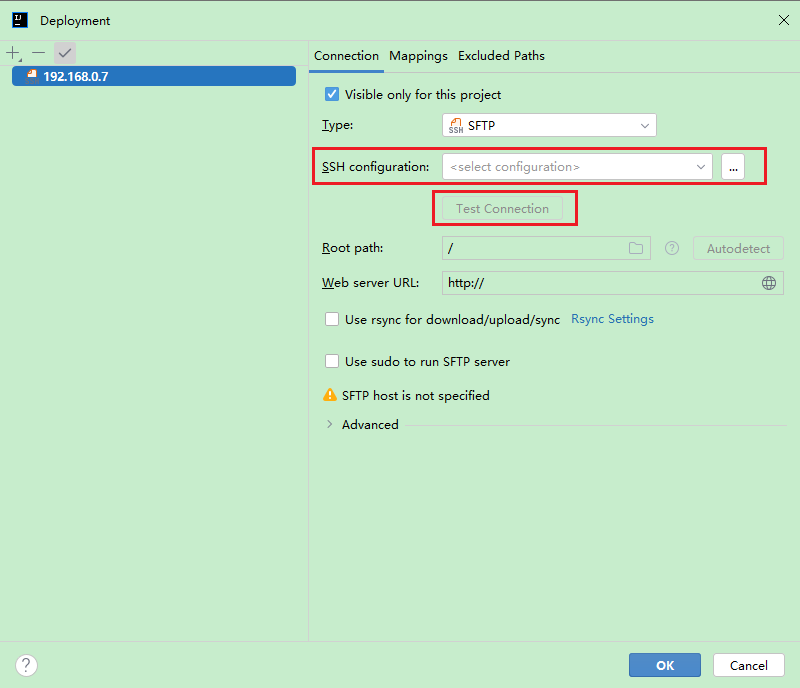
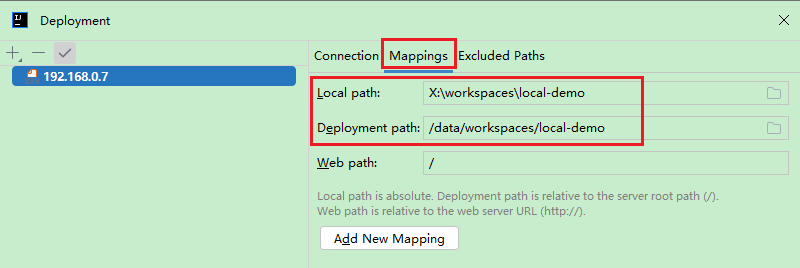
使用idea的WebDAV部署